
Enterprise IT services / server repair and maintenance
Server repair and maintenance
Server faults can interrupt business continuity. Yuqi Intelligent provides diagnosis, parts replacement, system and configuration maintenance, recovery verification and routine inspection to address incidents and reduce repeats.
01Why repair and maintenance matter
Server repair is more than turning equipment back on
Downtime, performance loss and hardware aging connect business impact, technical judgment and maintenance planning. Clear evidence, actions and verification reduce diagnosis effort and repeat incidents.
First establish what happened, then decide what to repair or replace and how to maintain the environment after recovery.
- 01Downtime affects the business
When a critical service stops, slows or repeatedly restarts, cause and business impact arrive together; booting alone is not a sufficient test.
- 02Hardware ages over time
Disks, memory, power, fans and interfaces age on different timelines; warnings, performance shifts or intermittent faults may appear first.
- 03Maintenance records are scattered
If model, configuration, recent changes, parts and test results are not kept together, the next diagnosis starts from scratch.
02Repair handling loop
From fault discovery to handover, create a recoverable repair loop
Collect evidence on the left, handle components and configuration at the repair bench, then recover and verify on the right; a failed verification returns to diagnosis, while a pass proceeds to handover.
Fault discovery enters diagnosis, the result drives repair or replacement, and the system is recovered and verified. A failed check returns to diagnosis; a pass enters handover.
The states illustrate a repair work order, not live device handling. Confirm business impact, window, backups and rollback before restarts, replacements or configuration changes.
03What Yuqi can handle
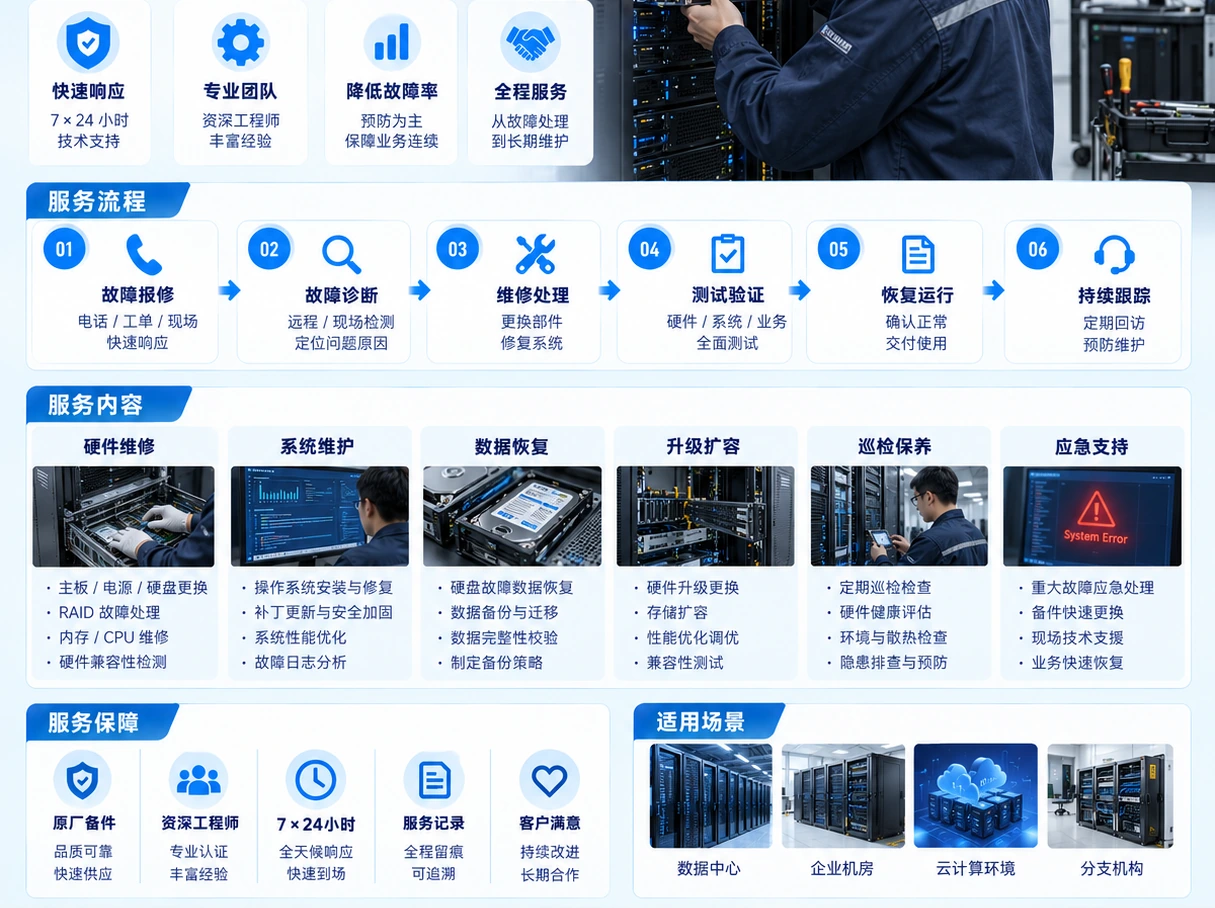
Yuqi repair and maintenance services
Around the existing equipment, systems and business impact, Yuqi breaks repair into actionable units: isolate, handle, verify recovery and leave usable records.
Fault diagnosis and layered isolation
Start with symptoms, logs and alerts, separate hardware, configuration, service and connectivity boundaries, and create an actionable sequence.
Parts sourcing and replacement
Coordinate parts against the model, component information and site conditions, recording arrival, replacement, old-part state and outcome.
Hardware and configuration maintenance
Within the maintenance window, check components, firmware or configuration, cables and interfaces, keeping before-and-after evidence.
Recovery verification and business review
Complete hardware self-checks, service checks and link or storage validation, then verify with representative business access.
Inspection and operating baseline
Create repeatable inspection items for temperature, fans, power, disks, memory, interfaces, capacity and alerts.
Technical support and maintenance handover
Give owners the handling actions, risks, window, contacts and next recommendations for continued operation and the next decision.
04Inspection and maintenance baseline
Six inspection areas keep repair evidence usable
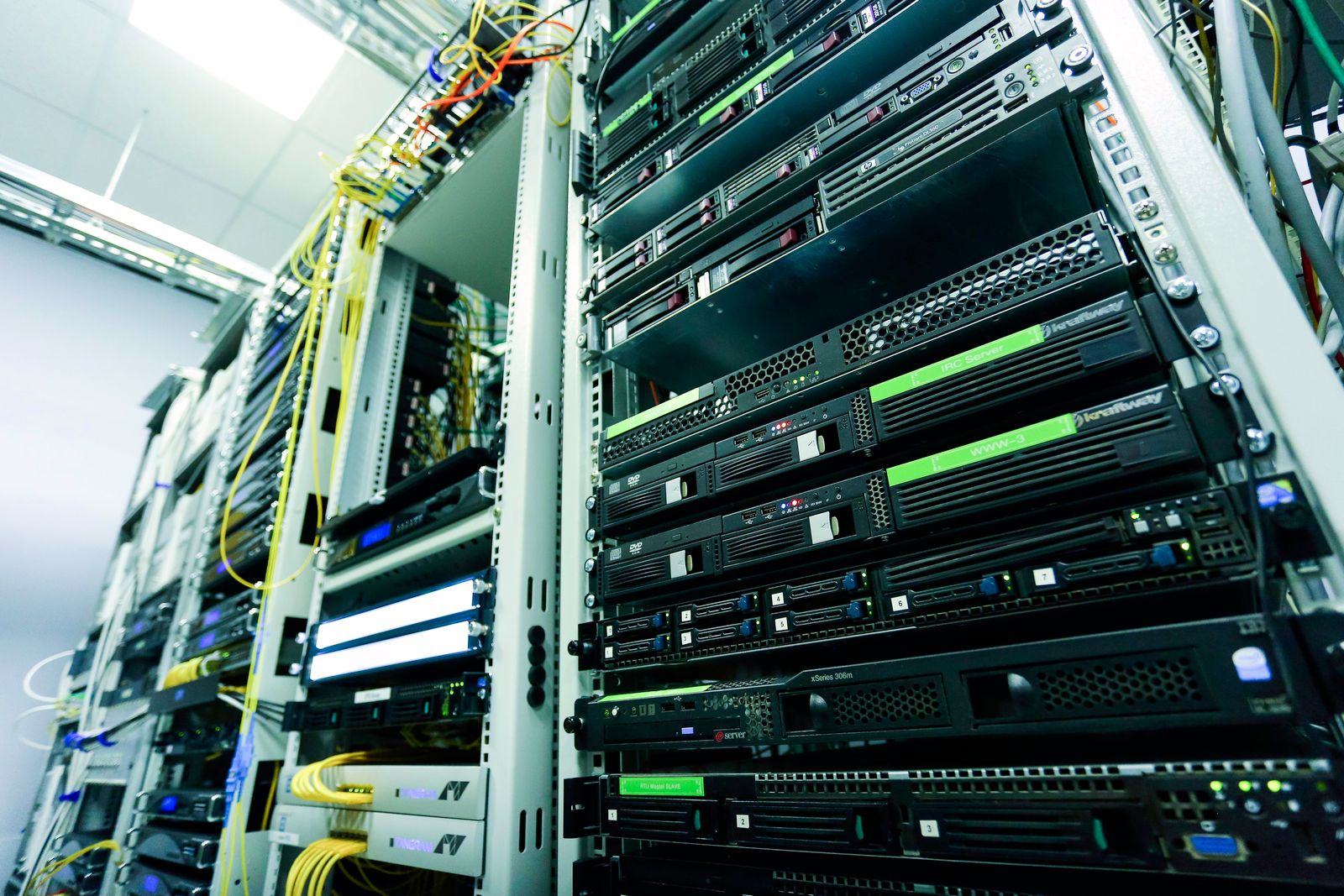
Inspection items are selected around equipment, systems, connectivity and impact. Recording results keeps maintenance from ending as a verbal handoff.
- 01Hardware health
Power, fans, temperature, indicators, disks, memory and component alerts.
- 02Interfaces and links
Status and error information for NICs, ports, cables, uplinks and storage connections.
- 03Systems and services
Operating system, virtualization layer, key services, startup items and recent incidents.
- 04Configuration and changes
Configuration backups, recent changes, versions, permissions and rollback conditions.
- 05Capacity and lifecycle
Disk space, resource headroom, component lifecycle and conditions for continued use.
- 06Recovery and records
Self-checks, services, representative access, test reports and handover records.
05Delivery and handover
Bring the handling result back into daily operations
After repair, the team needs to know what changed, what was verified and what remains. Yuqi organizes records, test reports and recommendations within the service scope.
- Record symptoms, alerts / logs and the diagnosis conclusion
- Record model, serial, parts or replacement and handling actions
- Record configuration changes, maintenance window, rollback point and remaining risks
- Hardware self-check, service recovery, link / storage validation and test report
- Inspection items, operating baseline, maintenance advice and next steps
- Contacts, ownership boundaries, record locations and technical handover

06What the customer receives
Reduce downtime friction and extend equipment value
Reduce diagnosis effort
Keep symptoms, evidence, components and handling order together to reduce repeated trial and error.
Reduce repeat incidents
Use configuration, change, replacement and verification records as reusable context for the next diagnosis.
Extend useful equipment life
Plan maintenance and refresh from health, capacity and component conditions so continued use has a clear basis.
FAQ
Make the equipment and fault facts clear first
The model, symptoms, alerts or logs, recent changes, backup state and maintenance window help define the conversation faster.
01Why repair a server that still boots?+
Booting only shows that one startup stage completed. Performance shifts, disk alerts, interface errors, service faults or repeated restarts can still affect the business and require logs, hardware and representative access to assess.
02What if original parts are unavailable?+
Confirm the model, component information, compatibility and available stock before discussing sourcing, replacement order, tests and old-part handling. Availability depends on the equipment and project conditions.
03Can repair affect the live business?+
Confirm business impact, maintenance window, backups and rollback conditions before hardware replacement, configuration changes or restarts.
04What is handed over after repair?+
Usually the diagnosis, handling actions, replacement record, configuration changes, recovery verification, test report, inspection result and handover note; the exact list follows the agreed scope.
Next stepMake the site facts clear first
Tell us the model and fault symptoms
Share the model and serial, alerts or logs, recent changes, backup state and maintenance window; we can then confirm repair, parts, verification and maintenance within the actual scope.