
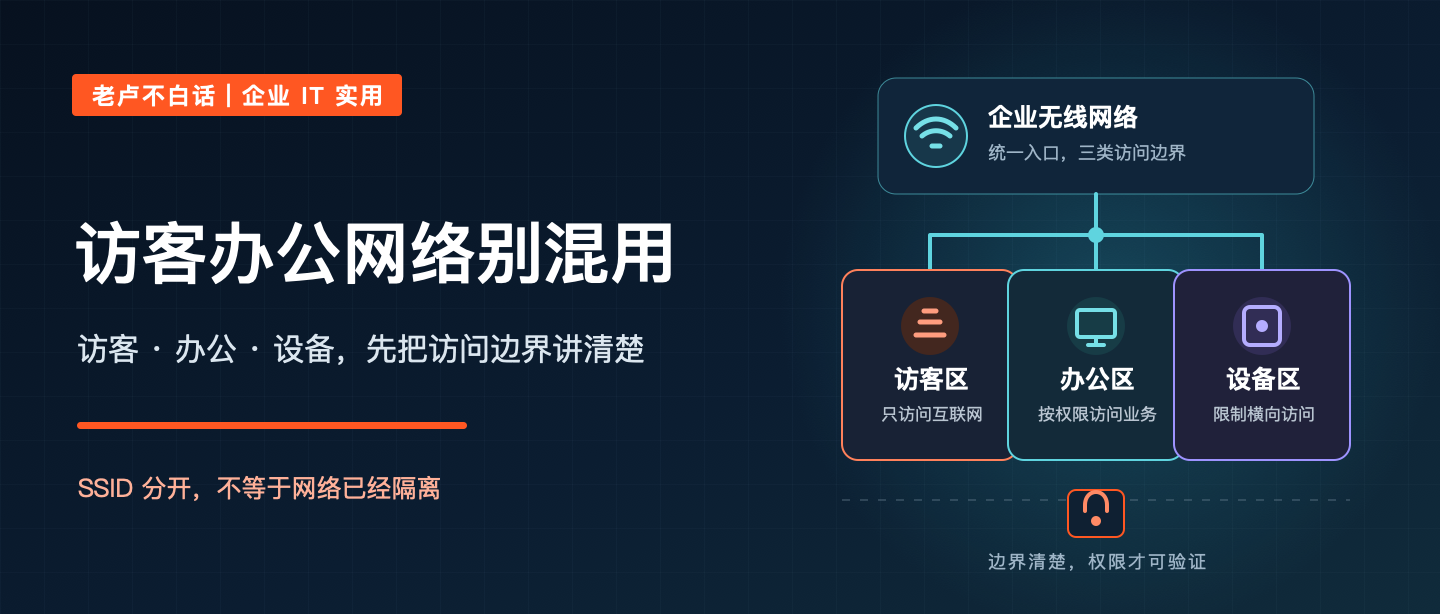
Business WiFi segmentation begins by separating users and devices with different trust levels and access needs. Guests, employee computers, printers, cameras, meeting-room devices, handheld terminals, and building systems should not share unrestricted paths simply because they use the same wireless infrastructure.
What business WiFi segmentation must separate
Employees, visitors, printers, cameras, meeting-room devices, handheld terminals, and building systems may all need wireless access. If they share one network, a compromised or unmanaged device can reach services it does not need. The Wi-Fi signal still looks healthy while the access boundary is weak.
Segmentation mistakes that survive a visual check
- Different SSID names lead to the same VLAN or unrestricted gateway path.
- Guest users can reach internal addresses or communicate directly with other clients.
- Device networks use a shared password without ownership, expiry, or inventory.
- DNS, DHCP, firewall, roaming, and monitoring behavior are not tested after separation.
Define access purpose before SSIDs and VLANs
Define the purpose of each wireless segment first, then implement SSIDs, VLANs, firewall rules, identity or device controls, and rate or client-isolation policies that match that purpose. Guest access normally needs internet only. Office access may need selected internal services. Dedicated devices should reach only the services required for operation.
Build a simple wireless access matrix
- Which user or device group connects, and how is identity or ownership established?
- Which internet and internal destinations are required for normal operation?
- Should clients communicate with each other, and what exceptions are justified?
- Who approves temporary access, reviews stale devices, and responds to unusual traffic?
Verify the path from client to permitted service
Maintain a simple matrix showing who or what uses each network, how access is granted, which destinations are allowed, who owns the rule, and how it was tested. Do not rely on SSID names as proof of separation; verify the VLAN path, gateway, DNS, internal reachability, peer access, and logging.
Roll out separation without disrupting operations
- Inventory users and device types that connect wirelessly.
- Separate guest, office, and managed-device purposes.
- Verify network paths and firewall rules, not only SSID configuration.
- Test internet, internal services, client isolation, and failure cases.
- Review temporary access, shared passwords, stale devices, and ownership.
Wireless segmentation questions
Are separate SSIDs sufficient?
No. Verify VLAN assignment, gateway and firewall policy, DNS, internal reachability, client isolation, logging, and the behavior of real applications.
Should every device type have its own network?
Use segments that reflect trust, access needs, ownership, and operating practicality. Too few weakens isolation; too many can become difficult to manage.
How should guest access be controlled?
Provide internet-only access where appropriate, isolate clients, apply reasonable session or rate controls, and avoid sharing internal credentials or routes.
Connect wireless policy to the enterprise network
Reliable Wi-Fi segmentation depends on switching, routing, firewall policy, identity, coverage design, and ongoing monitoring. Treat it as a network service, not only an access-point setting.